Default Addresses per Report Usage
As of version 1.10.0.0, Connector 365 Addressee Control offers the ability to define default addresses for individual report usages. This feature allows you to specify certain email addresses as default recipients for specific reports, regardless of the respective customer or vendor.
Setup
Default addresses can be set up via a new subpage in the Report Selection.
- Open one of the supported Report Selections pages (e.g., Report Selection - Sales)
- In the respective report selection, you will find the new sub page Default Addresses
|
|---|
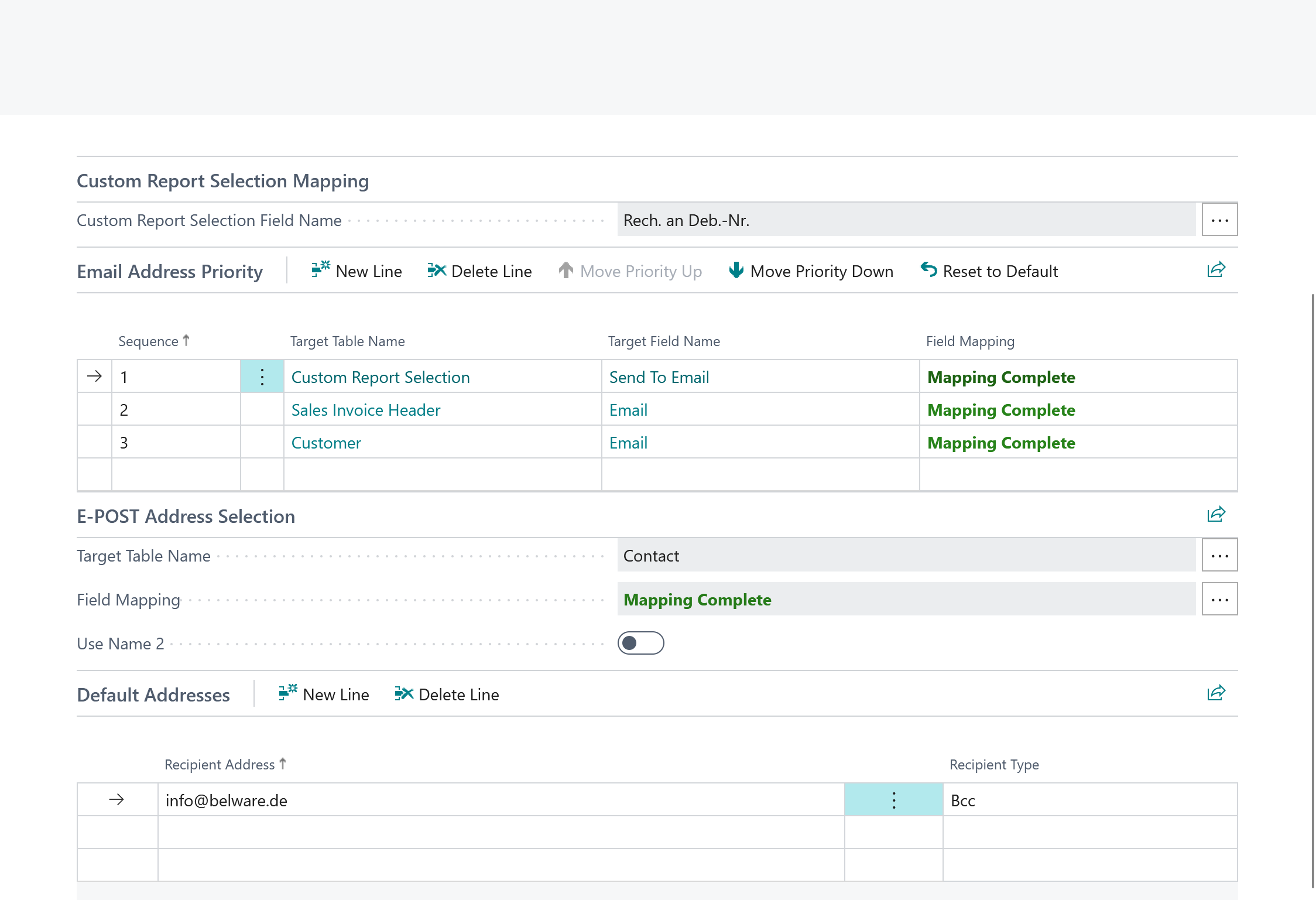
On the Default Addresses sub page, you can define as many default email addresses as needed for the selected report usage.
The following fields are available:
| Field | Function |
|---|---|
| Target | The email address to be used as default recipient |
| Recipient Type | Defines how the email address is used: - To: Primary recipient - CC: Carbon Copy - BCC: Blind Carbon Copy |
Use Cases
Example 1: Inform Accounting
You want a copy of every sales invoice to be automatically sent to accounting:
- Target: accounting@yourcompany.com
- Recipient Type: CC
Example 2: Archiving
You want to archive all order confirmations in a separate email mailbox:
- Target: archive-orders@yourcompany.com
- Recipient Type: BCC
Example 3: Quality Assurance
All shipment notes should be sent to the shipping department for review:
- Target: shipping@yourcompany.com
- Recipient Type: CC
Priority and Combination
Default addresses are used in addition to regular target addresses and additional email recipients. The features complement each other as follows:
- Target Addresses (according to priority): Determine the main recipient
- Additional Targets (Customer-/Vendor-specific): Additional recipients per business partner
- Default Addresses: General additional recipients for all business partners
All three levels are combined, giving you maximum flexibility in recipient management.
